What happens when your CRM says one thing, your warehouse says another, and SAP Business One shows something else entirely? Usually, a lot of emails, confused teams, and someone spending Friday afternoon figuring out where the data went.
These are the everyday consequences of SAP Business One integration challenges. And while it's easy to blame the software, the real problem often starts much earlier, with poor data mapping, missed dependencies, or the wrong integration setup.
That's where choosing an experienced SAP Business One implementation partner pays off.
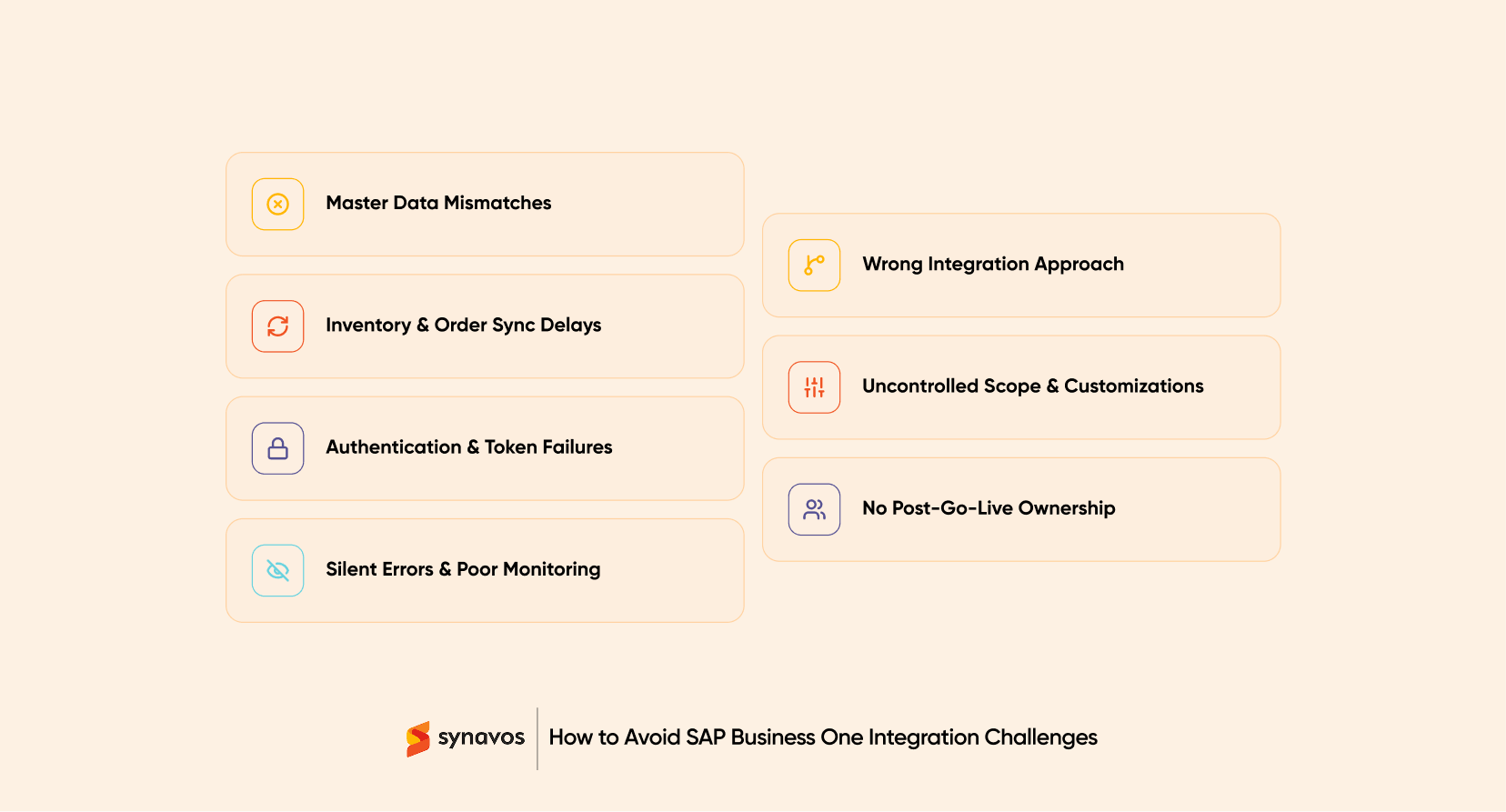
Here are 7 problems that tend to surface once an integration is live, and how to avoid each one.
What Causes Most SAP Business One Integration Problems?
Most SAP Business One integration problems come from gaps in planning rather than gaps in the technology. Data ownership is not defined clearly enough. Failures are not handled or logged properly. Changes are made after go-live without documentation. Nobody is assigned to monitor the integration once the original project team moves on.
Choosing an SAP Business One integration method? See Service Layer vs DI API vs B1if, or start with the complete buyer's guide.
The 7 challenges below follow a pattern: a symptom that shows up in daily operations, a cause that usually sits upstream of the integration itself, and a way to prevent it.
1. Master Data Mismatches Between Systems
What It Looks Like
The same customer exists twice, once in the CRM and once in SAP Business One, with slightly different details. An item code in the online store does not match the item code in SAP B1. A price update in one system takes days to appear in the other.
Why It Happens
Nobody defined which system owns which piece of data before the integration was built. Two systems can each believe they hold the correct version of the same customer, product, or price, and both are technically right, according to their own records.
How to Avoid It
Decide data ownership before writing any integration logic, not after. For each data type, name a single system of record:
- Which system owns the customer master
- Which system owns the item master
- Which system owns pricing
- Which system owns inventory availability
2. Inventory and Order Sync Delays
What It Looks Like
A customer orders a product that shows as available online. SAP Business One shows it as already committed to another order. The warehouse insists it is still on the shelf. All three may be technically correct, just at different points in time.
Why It Happens
Many integrations sync on a schedule rather than in response to an event: every 15 minutes, every hour, or overnight. That gap is enough time for stock levels to move in ways the connected systems have not yet reconciled.
How to Avoid It
Match the sync method to how time-sensitive the process actually is. A nightly catalogue update can run in batches. A checkout process usually cannot.
Service Layer is generally the better fit for near-real-time stock and order checks, since it is built for HTTP-based requests from modern web and mobile applications. Where the process runs through several systems before reaching SAP B1, B1if can help route and sequence those updates so inventory numbers do not drift apart in the meantime.
3. Authentication, Session, and Token Failures
What It Looks Like
The integration worked yesterday. Today it has stopped, and nobody changed anything. No error appears in either system's user interface, just a growing pile of unprocessed records.
Why It Happens
Sessions expire. Tokens have a shelf life. Certificates lapse on a renewal date nobody added to a calendar. Most integrations are built and tested during a period when credentials are freshly issued, so this class of failure only shows up weeks or months later, well after the original developer has moved on to the next project.
How to Avoid It
Build session renewal and credential refresh into the integration itself, not as an afterthought. At minimum, define:
- How and when tokens or sessions are renewed automatically
- Who owns certificate and credential rotation
- What happens the moment authentication fails, not just when a transaction fails
4. Poor Error Handling and Silent Failures
What It Looks Like
A batch of orders fails to import. Nobody is told. Customers assume their orders are being processed normally, and by the time someone notices the mismatch in the reports, the backlog has grown considerably.
Why It Happens
It is easy to build and test the successful path of an integration. It is far easier to skip the unglamorous work of deciding what happens when a record fails validation, when a duplicate is submitted twice, or when the destination system is temporarily unavailable.
How to Avoid It
Design the failure process with the same care as the success path. That means defining, in advance:
- Which errors should be retried automatically, and how many times
- How duplicate submissions are detected and prevented
- Where failed records are stored for review
- Who is alerted, and how quickly
- How a user corrects and resubmits a failed transaction
5. An Integration Method That Doesn’t Fit the Workflow
What It Looks Like
A cloud-based storefront was connected to SAP Business One through an approach designed for locally installed add-ons. Or a straightforward, single-system connection was built with far more orchestration than the process ever needed. Either way, the integration becomes harder to build, harder to explain, and harder to maintain than it should be.
Why It Happens
Service Layer, DI API, and B1if are not interchangeable, and choosing between them by habit or familiarity rather than by fit is one of the more common sources of long-term maintenance pain.
How to Avoid It
Match the method to the workflow rather than the other way around. As a general starting point, Service Layer suits new web, mobile, and cloud-based connections. DI API tends to fit established, locally deployed add-ons. B1if earns its complexity when a process spans multiple systems, requires transformation between formats, or needs central monitoring across several integration scenarios.
A full breakdown of when each method fits is covered in SAP B1 Integration Methods: Service Layer vs DI API vs B1if.
6. Uncontrolled Scope and Undocumented Customizations
What It Looks Like
A SAP Business One patch or version upgrade breaks the integration, and nobody can immediately explain why. A field mapping exists that nobody remembers creating, for a reason nobody currently working on the system can recall.
Why It Happens
Integrations rarely stay exactly as they were built on day one. A field gets added. A mapping gets adjusted to handle an edge case. A workaround gets written to fix an urgent issue during a busy week. Each change is reasonable on its own. Collected over a year without documentation, they turn into a system nobody fully understands.
How to Avoid It
Treat every post-launch change the way the original build should have been treated:
- Keep a change log for field mappings, business rules, and workarounds
- Version-control any custom code involved in the integration
- Test the integration against SAP Business One patches and upgrades before they are applied in production, not after
7. No Clear Ownership After Go-Live
What It Looks Like
The integration was built by a developer or partner who has since moved to another project. It still runs, mostly, until it does not. When it eventually breaks, there is a pause while everyone tries to work out whose responsibility it actually is.
Why It Happens
Integration is often budgeted and planned as a one-time project with a clear end date. In practice, it behaves more like a piece of ongoing infrastructure. Ownership does not disappear just because the invoice has been paid.
How to Avoid It
Assign a named owner for the integration before go-live, not after the first failure. Ownership should cover monitoring, credential and certificate renewal, response time for failures, and a documented process for handling upgrades on either connected system. If that owner is an external partner, agree on the scope and response expectations in writing.
How to Prevent SAP Business One Integration Challenges Before They Start
Most of the issues above are easier to prevent than to fix later. Before building or approving a SAP Business One integration, confirm:
- Data ownership is defined for every record type involved
- The integration method fits the workflow, not just the developer's familiarity
- Failure handling is designed with the same effort as the success path
- Authentication and credential renewal are built in, not assumed
- Every post-launch change is documented
- A named person or team owns the integration after go-live

How Synavos Can Help
Avoiding SAP Business One integration challenges takes more than choosing the right API. You need clean data, well-defined workflows, reliable error handling, and a team that knows what to do when something goes wrong.
Synavos helps businesses plan, build, and maintain SAP Business One integrations as part of its SAP Business One implementation services. Our expertise covers:
- SAP Business One implementation and customization
- ERP integration and API development
- Data migration and master data management
- Business process automation
- Integration testing, monitoring, and ongoing support
Explore our case studies further to see how we've helped businesses overcome ERP challenges, streamline operations, and improve efficiency.
Planning an SAP Business One integration or struggling with an existing one? Talk to Synavos, an experienced SAP implementation partner, to discuss your challenges and figure out the right next steps.