
Choosing the right Odoo version can make a real difference in how smoothly a business operates. With Odoo 20 released in September 2026, companies using Odoo 19 may be wondering whether the latest updates are worth the upgrade.
However, the Odoo 20 vs Odoo 19 comparison goes beyond a few interface changes. Odoo 20 introduces expanded AI automation, improved financial controls, and updates across inventory, manufacturing, and eCommerce.
This Odoo 20 vs Odoo 19 guide walks you through the changes in Odoo's latest version and also covers what has been removed and how to decide when to upgrade.
What's New in Odoo 20? Major Features
Most Odoo 20 new features focus less on adding apps and more on cutting manual work inside the apps businesses already use. Here are the changes that matter most.
1. AI Agents & Smarter Business Automation
As businesses grow, employees spend considerable time updating records, searching for information, and managing repetitive administrative tasks.
While Odoo 19 introduced AI agents for answering questions, analyzing data, and performing supported actions, Odoo 20 takes automation further with several improvements:
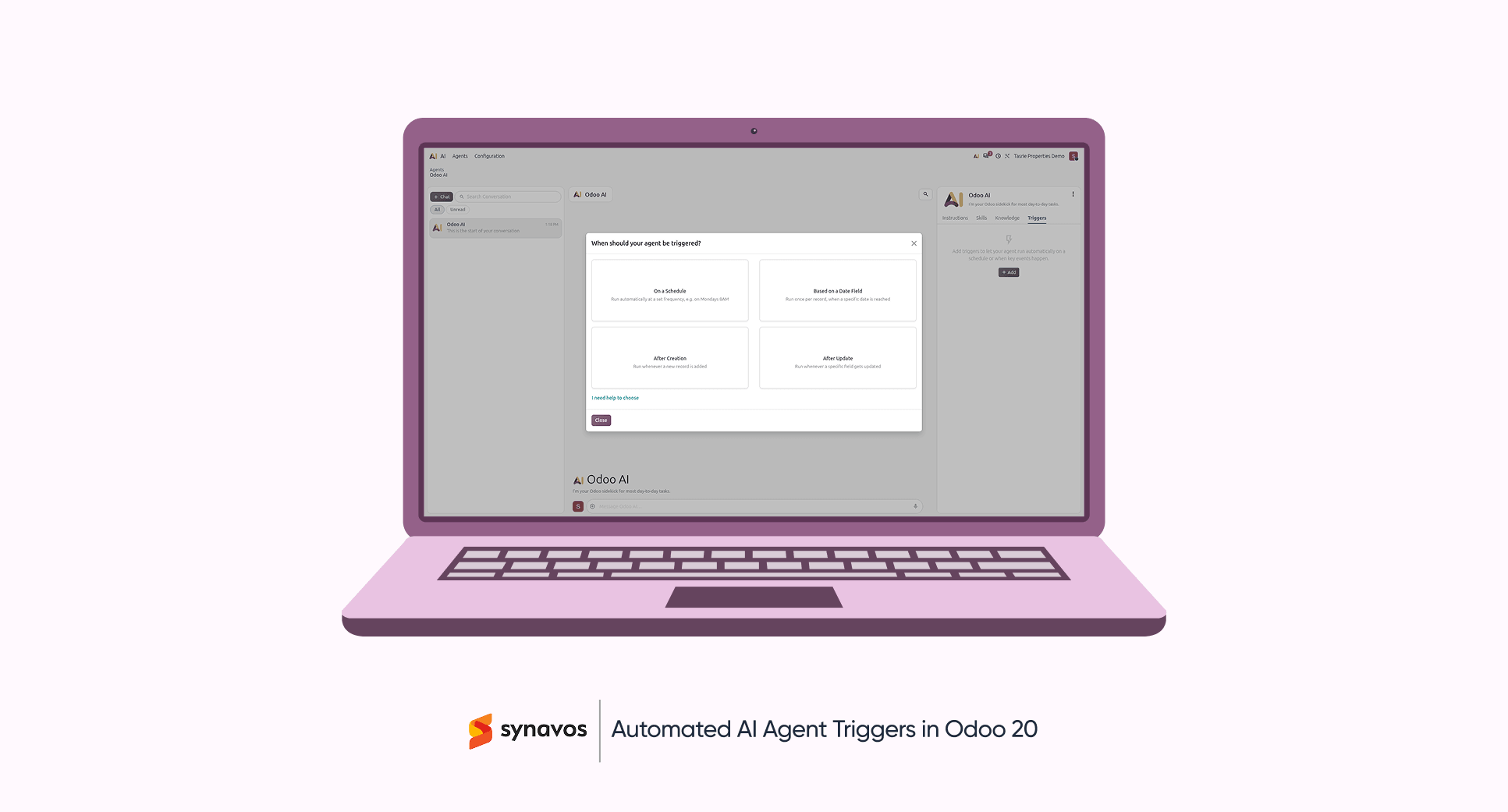
- Enhanced AI Agents: Create and update business records through natural-language instructions.
- Automated Workflows: Trigger AI agents through scheduled actions or predefined business events.
- MCP Integration: Connect external AI assistants to Odoo databases through configured tools and permissions.
- Improved Activity Tracking: Review AI actions, monitor execution progress, and examine automation conversations.
These improvements extend AI functionality beyond answering questions to automating everyday business processes.
2. Odoo 20 Accounting & Finance Features
Managing finances becomes challenging when bank transactions, invoices, and reports require constant manual verification.
Odoo 20 introduces several accounting improvements that simplify financial management:
- Stronger Bank Controls: Ensure journal entries affecting bank accounts originate from bank transactions.
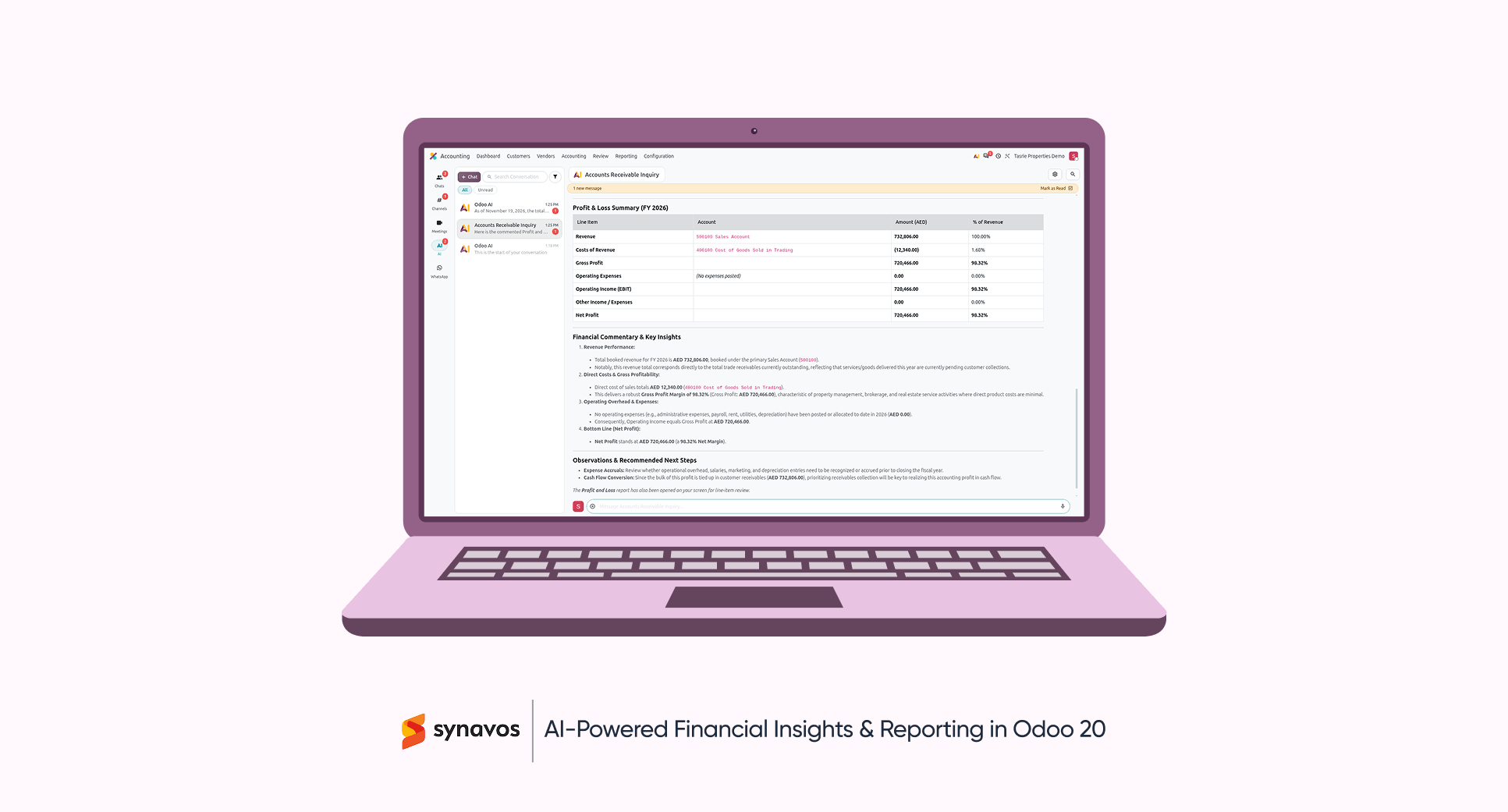
- AI Financial Assistant: Access financial insights and ask questions about accounting data using natural language.
- Improved Reconciliation: Identify transaction discrepancies through enhanced reconciliation reports and controls.
- Vendor Payment Processing: Initiate eligible vendor payments directly through supported payment service providers.
These updates help finance teams identify discrepancies, review transactions, and maintain more reliable financial records.
3. Key Inventory and Manufacturing Updates in Odoo 20
Stock shortages, delayed deliveries, and production bottlenecks can affect both customer satisfaction and operating costs.
Odoo 19 already supported inventory forecasting, replenishment rules, and manufacturing planning. Odoo 20 introduces several additional improvements:
- Smarter Replenishment: Suggest minimum and maximum stock levels based on demand history, stock coverage, and ordering frequency.
- Stock Aging Reports: Analyze inventory aging through the updated Moves Analysis report.
- Continuous Production: Allow subsequent manufacturing operations to begin when partial quantities become available.
- Improved BoM Management: Manage components and sub-assemblies directly from Bills of Materials and compare product configurations.
- Automated Backorder Planning: Automatically schedule manufacturing backorders when they are created from planned production.
These improvements make inventory replenishment and production scheduling more flexible.
4. Odoo 20 Sales, eCommerce, & POS Updates
For businesses selling online or through physical stores, product management and customer experience directly influence sales.
Odoo 20 introduces several improvements across its sales, eCommerce, and Point of Sale applications:
- AI Website Editing: Create and modify website pages, forms, and content using natural-language instructions.
- Automated Cross-Selling: Generate accessory, optional, and alternative product suggestions for online stores.
- Enhanced eCommerce Experience: Automate customer review requests, display product variant thumbnails, and improve checkout options.
- Improved POS Operations: Support automatic combo suggestions, flexible printer configuration, and enhanced self-ordering options.
These features provide businesses with more tools for managing online and in-store sales.
5. Payroll, HR, and Planning Changes
Odoo 20 continues improvements to payroll processing, workforce scheduling, and field service management.
Alongside the payroll and planning changes introduced in Odoo 19.2, the latest version includes additional capabilities:
- Salary Indexation: Increase employee salaries by a fixed amount, percentage, or a combination of both.
- Target Net Salary Calculations: Work backward from a desired net salary to estimate related compensation costs.
- Expense Integration: Incorporate relevant employee expenses into payroll workflows.
- Field Service Live Maps: Track technician locations and review service assignments through map-based views.
- Priority-Based Scheduling: Prioritize shifts so higher-priority assignments are considered first during automatic planning.
The redesigned payroll dashboard, removal of stored work entries, flexible working schedules, and Field Service integration were introduced in Odoo 19.2 and remain available in Odoo 20.
What Has Improved in Odoo 20?
Not every change is an addition. Before any Odoo version comparison turns into an upgrade plan, teams with custom code or integrations should check these points:
- AI Settings: Odoo 20 removes the option to configure personal OpenAI or Gemini API keys for built-in AI features. These now use Odoo's credit-based system, while external AI agents can connect through MCP.
- Integrations: Odoo 20 removes the legacy XML-RPC and JSON-RPC database service. However, the common and object services remain available until their scheduled removal in Odoo 22. JSON-2 is the recommended replacement for future integrations.
- Field Service: The standalone Field Service app was merged into Planning in Odoo 19.2. Odoo 20 continues this integrated approach, allowing teams to manage field activities and scheduling in one place.
- Access Rights: Odoo 20 combines access rights and record rules into a unified security structure. Businesses using custom permissions may need to review their existing configurations.
- Technical Requirements: For self-hosted installations, Odoo 20 raises the minimum requirements from Python 3.10 to 3.12 and PostgreSQL 13 to 16. Businesses should confirm server compatibility before migrating.
Odoo 20 vs Odoo 19: Key Differences at a Glance
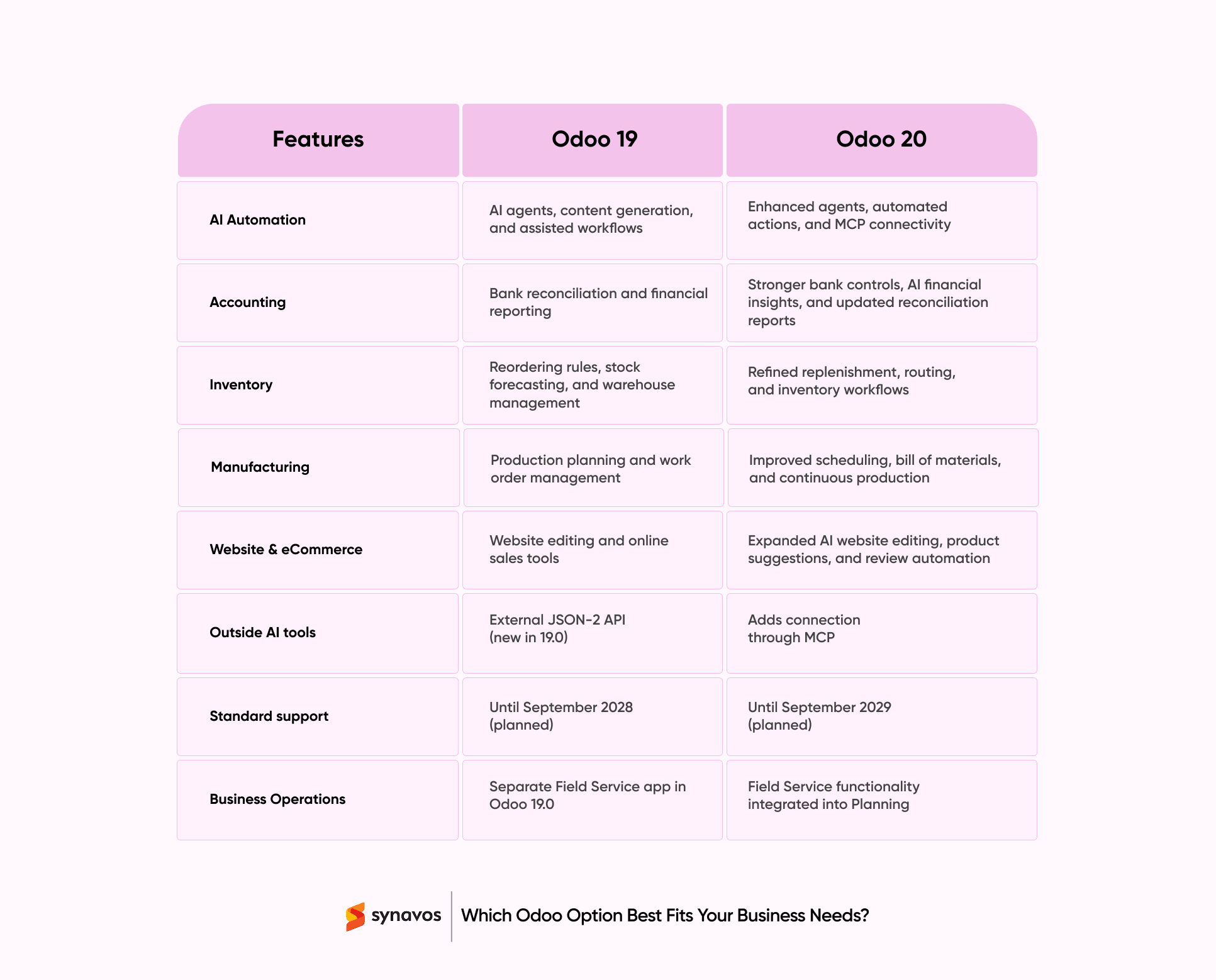
Odoo 19 introduced significant improvements in AI, inventory management, and business automation. Odoo 20 builds on that foundation by making several processes more connected, flexible, and easier to manage.
Here's a quick Odoo version comparison highlighting the main differences.
Should You Upgrade from Odoo 19 to Odoo 20?
Choosing between Odoo 19 and Odoo 20 depends on business requirements, existing customizations, and the value of the new capabilities.
When Should You Stay With Odoo 19?
- You depend on custom modules or integrations built on XML-RPC or JSON-RPC
- You are in the middle of an Odoo 19 rollout
- Odoo's upgrade service doesn't yet support your path to version 20
When Is Upgrading to Odoo 20 Worth It?
- Your finance team loses days to reconciliation every month
- You want AI agents to take over repetitive data entry
- Your setup is mostly standard, with few custom modules
- You are starting a new implementation and can go live directly on Odoo 20
Choosing the Right Odoo Version with Synavos
The Odoo 20 vs Odoo 19 decision isn't really about which version is newer. It comes down to whether AI agents, faster reconciliation, and smarter replenishment solve problems your teams face today, and how much custom work needs to move with you.
For some businesses, upgrading now pays off quickly. For others, staying on Odoo 19 for a few more months is the smarter call. And this is where Synavos comes in.
As an official Odoo Silver Partner with a proven track record of 50+ successful Odoo implementations, Synavos helps businesses review their current setup, estimate what an upgrade to Odoo 20 involves, and migrate custom modules and integrations without disrupting daily operations.
If you're weighing Odoo 19 vs. 20 for your business, talk to the Synavos team for a free upgrade assessment and a clear, practical plan for your next step.