Businesses today are expected to respond faster, serve better, and stay available around the clock. Customers no longer want to wait for replies or navigate complex support systems. They expect instant answers and smooth interactions at every touchpoint.
This shift has pushed companies to rethink how they handle communication, support, and even sales. That’s where AI chatbots come in. They are no longer basic tools that reply with scripted messages. Modern AI chatbots can understand user intent, hold meaningful conversations, and handle a wide range of tasks without human intervention.
From answering customer queries to qualifying leads and automating repetitive processes, AI chatbots are becoming a core part of business operations. They help teams save time, reduce costs, and improve overall customer experience.
In this guide, we’ll walk you through everything you need to know about AI chatbot development, from how it works to how to choose the right solution for your business.
What Is AI Chatbot Development?
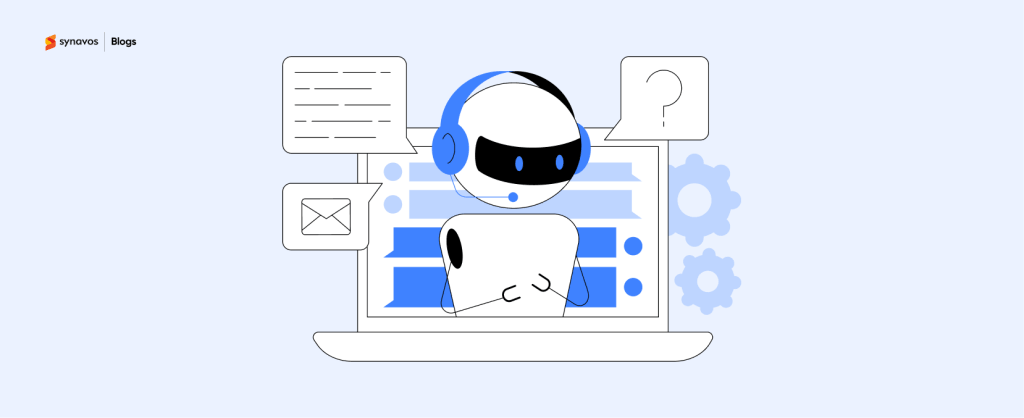
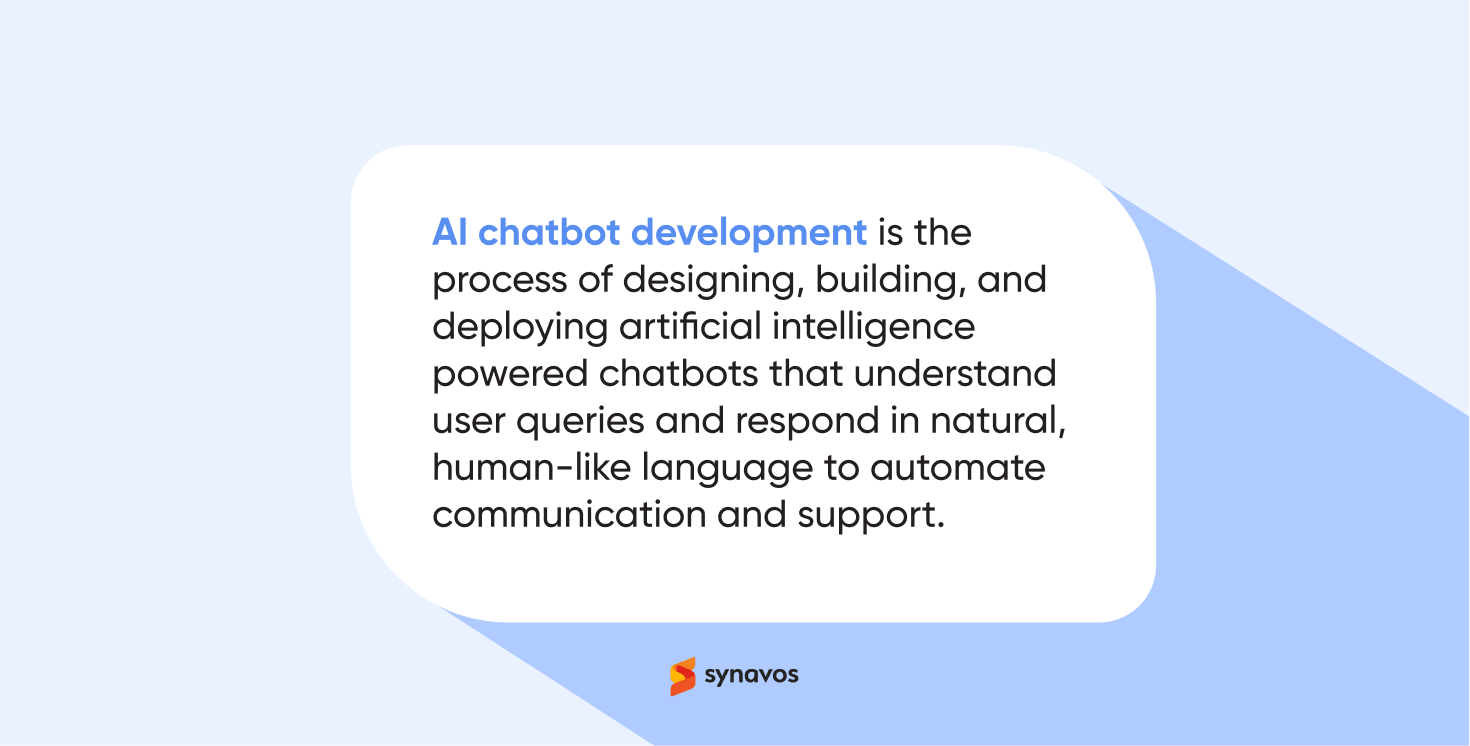
AI chatbot development is the process of designing, building, and deploying intelligent chatbot systems that can understand user queries and respond in a natural, human-like way. These chatbots are designed to understand what a user is asking, interpret the intent behind the message, and respond in a relevant and helpful way.
Unlike traditional rule-based chatbots that follow predefined scripts, AI chatbots use technologies like natural language processing (NLP) and machine learning to understand context and respond more intelligently. This difference plays a major role in performance and user experience, as explained in our detailed guide, “AI Chatbots vs Rule-Based Chatbots: What’s the Difference?”
For example, instead of requiring users to click through fixed options, an AI chatbot can understand a question like “I want to track my order” and provide the correct response instantly.
Businesses use AI chatbots for various purposes, including customer support, lead qualification, appointment scheduling, and internal assistance. As they interact with more users over time, these chatbots can continuously improve, making them more accurate and effective.
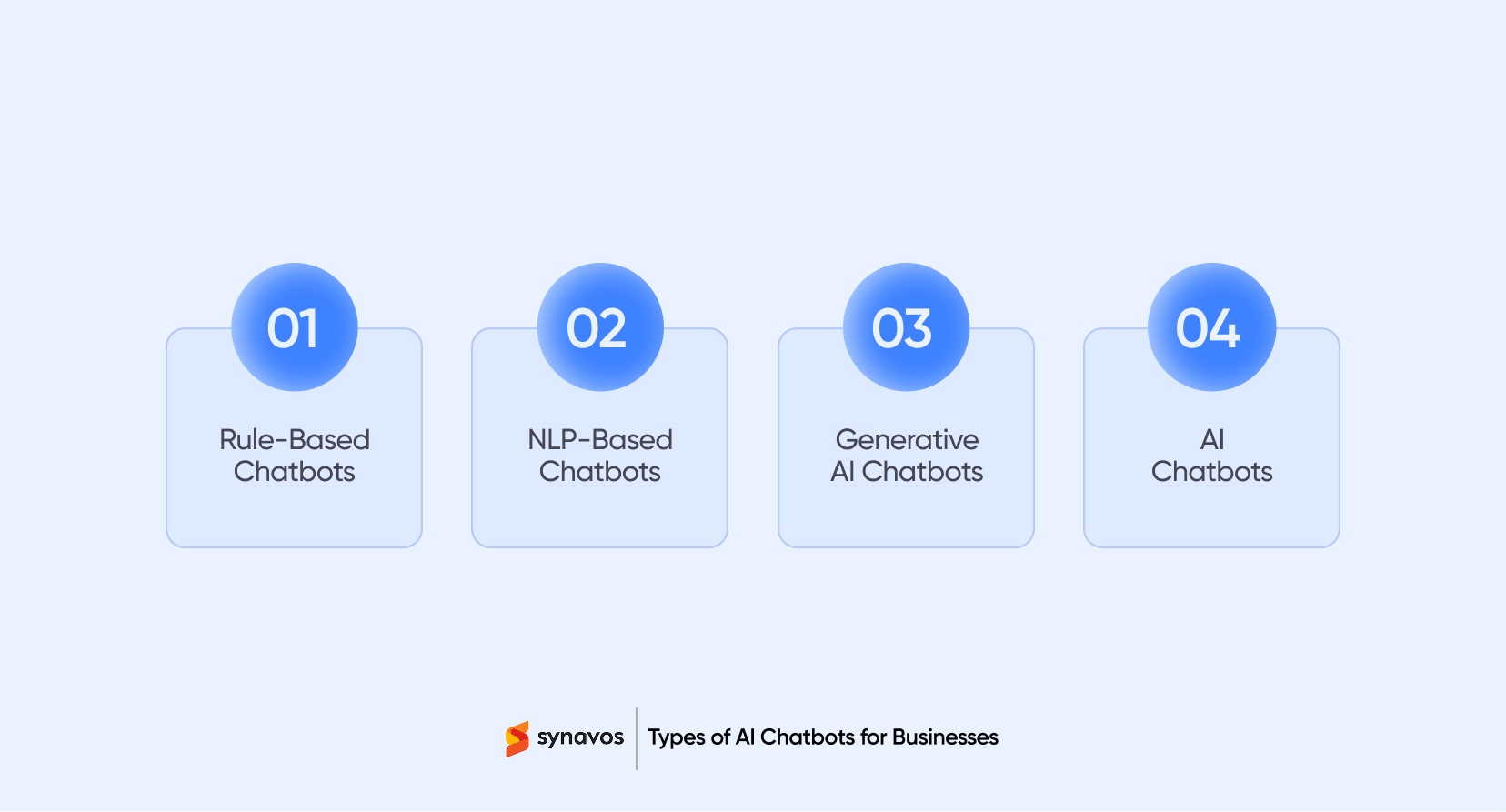
Types of AI Chatbots for Businesses
Not every chatbot works the same way. Some follow strict scripts, while others can hold real conversations and even complete tasks on their own. The right choice depends on how complex your use case is and how much automation you actually need.
Here’s a simple breakdown of the main types you’ll come across.
1. Rule-Based Chatbots
These are the most basic type, often referred to as "click-and-answer" bots. They operate on a pre-defined "decision tree."
- How they work: They use a scripted flow. If a user asks something outside the script, the bot usually fails or loops.
- Best for: Simple FAQs, basic order tracking, or gathering contact information where the user journey is very linear.
- Pros: Low cost, fast to deploy, and zero risk of "hallucination."
- Cons: Extremely rigid; feels robotic and cannot understand nuance or context.
2. NLP-Based Chatbots
These are a step up from rules. They use Natural Language Processing (NLP) to understand the "intent" behind a user's message, even if it's phrased poorly.
- How they work: Instead of looking for keywords, they analyze sentence structure to categorize the request (e.g., "Where is my stuff?" and "Shipment status?" both map to the Track Order intent).
- Best for: Standard customer support, banking apps, and e-commerce assistants.
- Pros: Much more "human" feel; can handle varied phrasing.
- Cons: Requires a large amount of training data to "learn" the specific intents of a business.
3. Generative AI Chatbots
Powered by models like GPT-4, Claude, or Gemini, these are the current standard for high-end customer engagement in 2026.
- How they work: They don't rely on pre-written responses. Instead, they generate answers in real-time based on the context of the conversation and the company's knowledge base.
- Best for: Complex advisory roles, personalized shopping, and creative brainstorming.
- Pros: Incredibly flexible; can summarize documents, explain complex topics, and maintain long-term conversation memory.
- Cons: Higher compute costs; requires strict "guardrails" to prevent inaccurate answers.
4. Agentic AI Chatbots
This is the "cutting edge" for 2026. An Agentic bot doesn't just talk; it takes action.
- How they work: The bot is given a goal (e.g., "Help the customer return their shoes"). It identifies the steps needed, connects to the shipping API, verifies the user's ID, and emails the return label without human help.
- Best for: End-to-end service automation, logistics, and complex fintech workflows.
- Pros: Massive ROI through total task delegation.
- Cons: High technical complexity; requires deep integration with business APIs (like Stripe for payments or Twilio for communication).
As businesses increasingly adopt AI chatbots, it’s also important to understand the security and compliance challenges that come with them. You can explore our detailed guide on "AI Chatbot Security & Compliance: A 2026 Guide for Businesses" to learn how to build and manage chatbots safely.
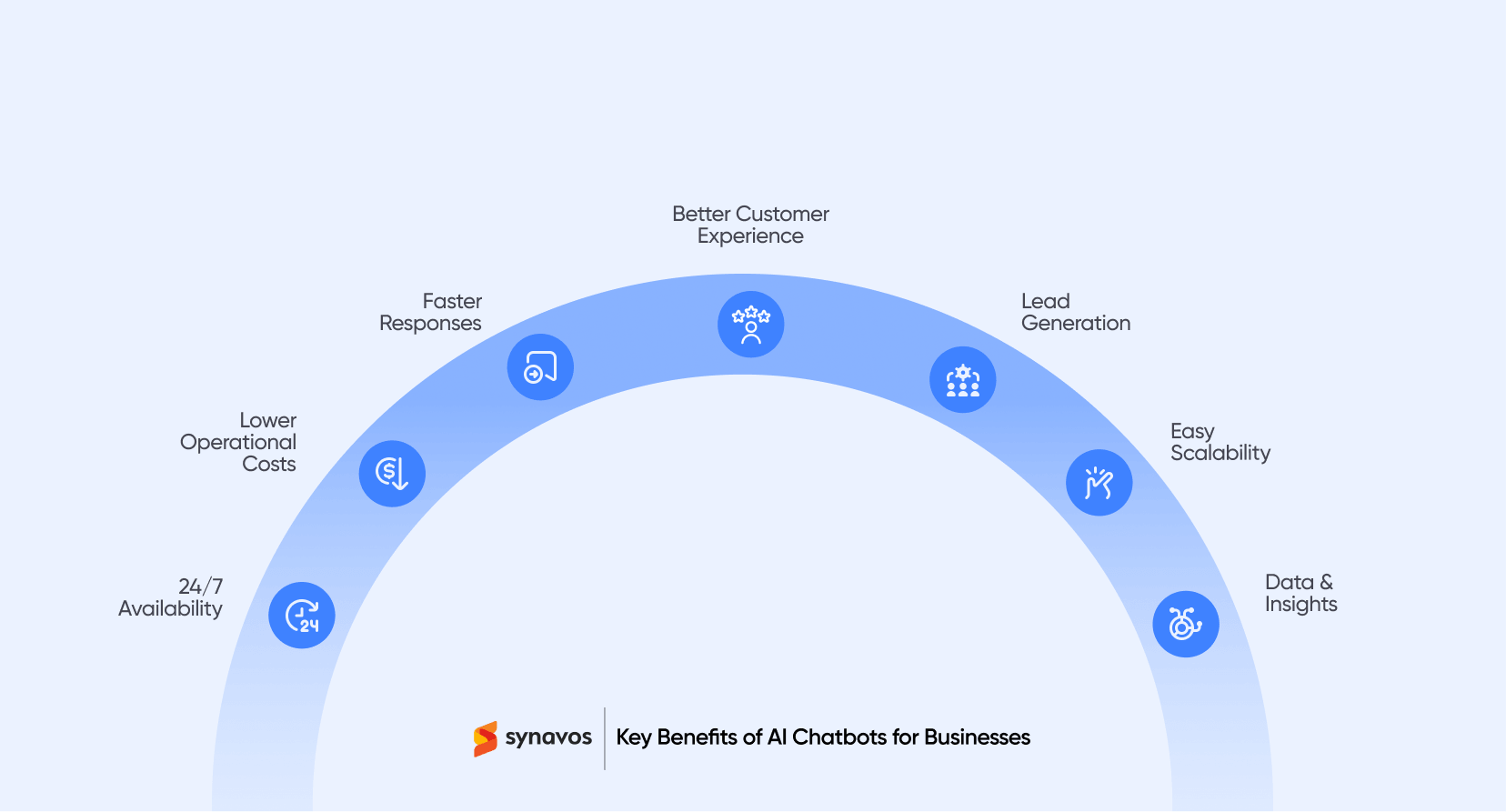
Key Benefits of AI Chatbots for Businesses
AI chatbots are not just a technological upgrade. They are a practical way for businesses to improve efficiency, reduce costs, and deliver better customer experiences at scale. When implemented correctly, they create measurable impact across multiple areas of the business.
24/7 Availability Without Additional Cost
One of the biggest advantages of AI chatbots is that they can operate around the clock. Customers no longer have to wait for business hours to get support or information.
This ensures consistent service availability while reducing the need for large support teams working in shifts.
Reduced Operational Costs
Handling customer queries manually can be time-consuming and expensive. AI chatbots can automate repetitive tasks such as answering FAQs, processing basic requests, and guiding users through common workflows.
This allows businesses to lower support costs while freeing up human teams to focus on more complex and high-value tasks.
Faster Response Times
Speed is critical in customer interactions. AI chatbots can respond instantly, which eliminates wait times and improves overall user experience.
Quick responses not only increase customer satisfaction but also reduce drop-offs, especially in sales or support scenarios.
Improved Customer Experience
AI chatbots provide consistent and accurate responses to ensure users receive the right information every time.
With personalization capabilities, they can tailor interactions based on user behavior, preferences, or past activity, creating a more engaging experience.
Lead Generation and Qualification
AI chatbots can actively engage website visitors, ask relevant questions, and qualify leads based on predefined criteria.
This helps businesses capture more leads and ensure that sales teams focus on high-quality prospects, improving conversion rates.
Scalability for Growing Businesses
As businesses grow, handling increased customer interactions becomes challenging. AI chatbots can manage thousands of conversations simultaneously without compromising performance.
This makes them an ideal solution for scaling operations without significantly increasing costs.
Data Collection and Insights
Every interaction with a chatbot generates valuable data. Businesses can use this data to understand customer behavior, identify common issues, and improve products or services.
These insights also help refine chatbot performance and optimize business strategies over time.
For a deeper look at how these benefits translate into real business value, explore our detailed guide on the “Top 10 Benefits of AI Chatbots for Businesses in 2026.”
AI Chatbot Use Cases for Businesses
AI chatbots deliver the most value when they are aligned with real business use cases. Instead of being a generic support tool, they can directly contribute to revenue growth, cost reduction, and operational efficiency. Below are some of the most impactful use cases where AI chatbots consistently deliver measurable results for businesses.
Customer Support Automation
AI chatbots are widely used to handle customer support queries such as order tracking, account issues, FAQs, and troubleshooting.
By automating repetitive queries, businesses can significantly reduce response times and support costs while maintaining consistent service quality. More complex issues can be seamlessly escalated to human agents when needed.
Impact: Lower support costs and improved customer satisfaction.
Lead Generation and Qualification
AI chatbots can engage website visitors in real time, ask relevant questions, and collect key information such as business needs, budget, or contact details.
They can then qualify leads based on predefined criteria and pass high-quality prospects directly to the sales team.
Impact: Higher lead conversion rates and better sales efficiency.
Sales Assistance and Product Recommendations
In e-commerce and SaaS businesses, AI chatbots help users discover products or services based on their preferences.
They can answer product-related questions, suggest relevant options, and guide users through the purchase process.
Impact: Increased sales and reduced cart abandonment.
Appointment Booking and Scheduling
AI chatbots simplify the process of booking appointments by allowing users to schedule meetings, demos, or consultations directly through chat.
They can also send reminders and handle rescheduling requests automatically.
Impact: Reduced manual workload and fewer missed appointments.
Customer Onboarding and User Guidance
AI chatbots can guide new users through onboarding processes by providing step-by-step instructions, answering questions, and helping them get started quickly.
This is especially useful for SaaS platforms and digital services.
Impact: Faster user adoption and improved retention rates.
Internal Support and Employee Assistance
Businesses also use AI chatbots internally to assist employees with HR queries, IT support, policy information, and training resources.
This reduces dependency on internal teams and speeds up access to information.
Impact: Improved productivity and reduced internal support workload.
Order Processing and Status Updates
AI chatbots can handle order placements, confirmations, and real-time status updates by integrating with backend systems.
This ensures customers always have access to accurate and up-to-date information.
Impact: Better customer experience and reduced support queries.
AI Chatbot Development Cost Breakdown
The cost of building an AI chatbot is not a simple sum of separate components. Instead, it is shaped by different cost drivers such as complexity, features, integrations, and infrastructure. Each chatbot falls into a certain level in every category, and the final cost depends on the overall scope and requirements.
Below is a clearer breakdown of how these factors influence the total development cost.
1. Chatbot Complexity
Chatbot complexity defines how intelligent and flexible the system is. It has the biggest impact on overall cost.
Basic rule-based chatbots that handle FAQs, simple workflows, or lead capture typically cost between $3,000 to $10,000. These systems use predefined logic and require minimal AI capability.
AI-powered chatbots that understand natural language, manage context, and handle dynamic conversations usually range from $10,000 to $30,000. They require NLP models, training, and more extensive testing.
Advanced conversational AI systems with multi-step reasoning, personalization, and industry-specific intelligence can range from $30,000 to $80,000+, depending on complexity and scale.
2. Conversation Design and User Experience
This covers how users interact with the chatbot and how smooth the experience feels.
Simple chatbot flows with basic scripts and linear paths typically cost $1,000 to $3,000.
More refined conversational designs with structured journeys, fallback handling, and improved user flow range from $3,000 to $10,000.
Highly detailed UX design with multiple user journeys, personalization, and multilingual support can reach $10,000 to $20,000+.
3. AI and Natural Language Processing
This layer defines how well the chatbot understands and responds to users.
Basic NLP using pre-trained models or APIs generally costs $5,000 to $15,000.
Custom-trained or domain-specific models that require dataset preparation and tuning typically range from $15,000 to $40,000.
Highly advanced AI systems with deep context understanding, fine-tuning, and industry-specific accuracy can exceed $40,000+.
4. Third-Party Integrations
Integrations allow the chatbot to perform real business tasks.
Simple integrations such as email notifications or basic CRM connections usually cost $1,000 to $5,000.
More complex setups involving multiple systems like CRMs, payment gateways, booking tools, and internal databases range from $5,000 to $15,000.
Enterprise-level integrations with legacy systems, custom APIs, or secure enterprise environments can go beyond $15,000 to $30,000+.
5. Development Approach and Technology Stack
The technology choice significantly impacts cost and flexibility.
Low-code platforms such as Dialogflow or Microsoft Bot Framework usually cost $3,000 to $10,000 for setup and deployment.
Custom-built AI chatbots using modern LLM-based architectures typically range from $10,000 to $50,000.
Large-scale enterprise solutions with advanced architecture, security layers, and multi-channel deployment can exceed $50,000 to $100,000+.
6. Hosting, Infrastructure, and API Usage
This includes ongoing operational costs after deployment.
Small-scale chatbots generally cost $50 to $300 per month.
Mid-level chatbots handling regular traffic range from $300 to $2,000 per month.
High-traffic or enterprise systems with heavy AI usage can exceed $2,000 to $10,000+ per month, especially when using external AI APIs.
7. Maintenance and Continuous Improvement
Chatbots require ongoing updates to stay accurate and useful.
Basic maintenance typically costs $500 to $2,000 per month.
AI chatbots with continuous optimization, retraining, and integration monitoring range from $2,000 to $7,000 per month.
Enterprise-level support and optimization can go beyond $7,000 to $15,000+ per month.
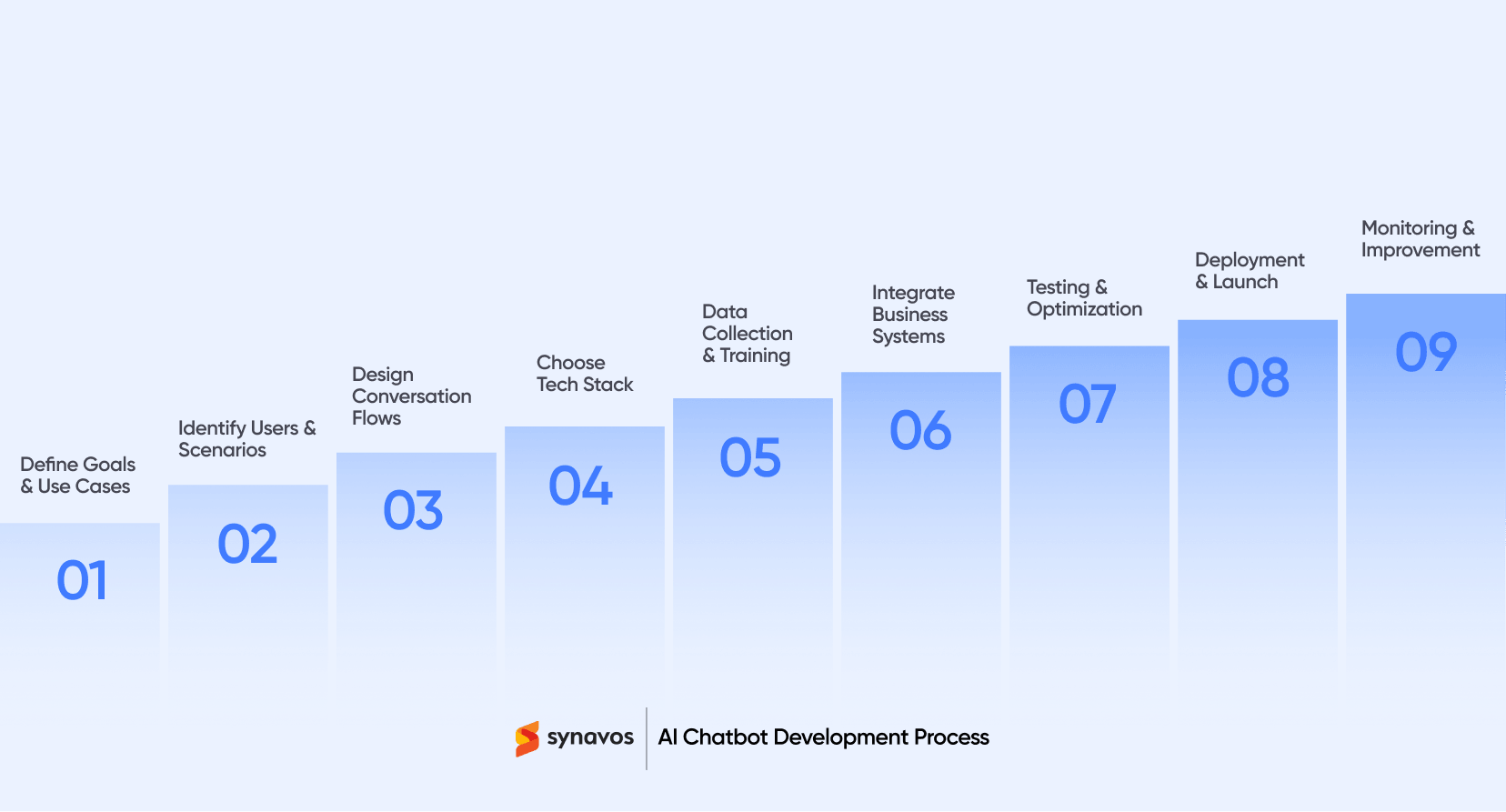
AI Chatbot Development Process (Step-by-Step)
AI chatbot development follows a structured process that transforms a business idea into a fully functional conversational system. Each stage ensures the chatbot is built with the right logic, data, and integrations to deliver real business value.
Step 1: Define Business Goals and Use Cases
The first step is to clearly identify what you want the AI chatbot to achieve. This could include automating customer support, generating leads, improving onboarding, or streamlining internal operations.
Instead of trying to solve everything at once, it’s important to focus on specific, high-impact use cases. For example, reducing support ticket volume or improving lead qualification can deliver quick and measurable results.
Clear objectives not only guide development but also help measure the chatbot’s success after deployment.
Step 2: Identify Target Users and Interaction Scenarios
Understanding your audience is key to building a chatbot that actually works. This involves identifying who will use the chatbot, what their expectations are, and what kind of problems they are trying to solve.
Mapping out common interaction scenarios helps in designing relevant responses. For instance, a first-time website visitor will need different guidance compared to an existing customer looking for support.
This step ensures the chatbot delivers value across different user journeys rather than offering generic responses.
Step 3: Design Conversation Flows
Conversation design is where the user experience takes shape. It involves creating structured flows that guide users toward desired outcomes while keeping interactions simple and intuitive.
This includes defining welcome messages, question prompts, response variations, fallback options, and escalation paths. A well-designed AI chatbot should feel natural, not robotic or confusing.
Good conversation design reduces friction, improves engagement, and ensures users can quickly get what they need without frustration.
Step 4: Choose the Right Technology Stack
Selecting the right technology stack plays a major role in the chatbot’s performance and scalability. Businesses need to evaluate different platforms, frameworks, and AI capabilities based on their requirements.
This decision also includes whether to build a fully custom AI chatbot or use existing platforms with customization. Factors like integration capabilities, language support, scalability, and long-term flexibility should be considered.
Choosing the right foundation early helps avoid limitations as the AI chatbot evolves. Equally important is selecting a development partner that understands your scalability, integration, and business requirements. Here’s a detailed guide on "how to choose the right AI chatbot development company" for your business.
Step 5: Data Collection and Model Training
AI chatbots rely heavily on data to understand user intent and deliver accurate responses. This step involves collecting relevant datasets such as past customer queries, FAQs, and support conversations.
The chatbot is then trained using this data to recognize patterns, intent, and context. The more relevant and clean the data, the better the chatbot’s performance.
Continuous training is also important, as it allows the chatbot to adapt to new queries and improve over time.
Step 6: Integration with Business Systems
For a chatbot to go beyond basic conversations, it must integrate with existing business systems such as CRM platforms, ERP systems, databases, and third-party APIs.
These integrations enable the chatbot to perform actions like retrieving order details, updating customer records, booking appointments, or processing requests in real time.
Without proper integration, a chatbot remains limited in functionality and cannot deliver its full business value.
Step 7: Testing and Optimization
Before launch, the AI chatbot must go through rigorous testing to ensure accuracy, reliability, and a smooth user experience. This includes testing different conversation scenarios, edge cases, and user inputs.
User testing is especially valuable, as it reveals gaps that may not be obvious during development. Based on feedback, conversation flows and responses can be refined.
Optimization is an ongoing process that continues even after deployment.
Step 8: Deployment and Launch
Once the AI chatbot is ready, it is deployed across the desired platforms such as websites, mobile apps, or messaging channels like WhatsApp.
A successful launch involves ensuring seamless integration, proper functionality, and a smooth user experience from day one. It’s also important to monitor initial interactions closely to identify any immediate issues.
A well-executed launch sets the foundation for long-term success.
Step 9: Continuous Monitoring and Improvement
AI chatbot development does not end after deployment. Continuous monitoring is essential to track performance, analyze user interactions, and identify areas for improvement.
Metrics such as response accuracy, user satisfaction, engagement rates, and resolution time help measure effectiveness. Based on these insights, businesses can refine conversation flows, update training data, and expand capabilities.
This ongoing improvement ensures the chatbot remains relevant, accurate, and aligned with evolving business needs.
Build vs Buy AI Chatbots: Which Option Is Right for Your Business?
One of the most important decisions businesses face is whether to build a custom AI chatbot from scratch or use an existing platform. The right choice depends on your goals, budget, timeline, and the level of customization you need.
Building a Custom AI Chatbot
Building a custom AI chatbot involves developing the solution from the ground up, tailored specifically to your business requirements. This approach gives you full control over functionality, integrations, and user experience.
Custom chatbots are ideal for businesses with complex workflows, unique use cases, or specific integration needs. They allow for deeper personalization, better scalability, and tighter alignment with internal systems such as CRM, ERP, or proprietary platforms.
However, custom development requires more time, technical expertise, and investment. It also involves ongoing maintenance, updates, and optimization to ensure long-term performance.
Best for:
Businesses that need flexibility, scalability, and advanced capabilities.
Using Pre-Built Chatbot Platforms
Pre-built chatbot platforms offer ready-made solutions that can be quickly deployed with minimal development effort. These platforms often come with templates, drag-and-drop builders, and basic AI capabilities.
They are a good option for businesses looking to launch quickly or handle simple use cases such as FAQs, basic customer support, or lead capture.
However, these platforms can be limited in terms of customization, integrations, and advanced functionality. As your business grows, you may face constraints that require switching to a more flexible solution.
Best for:
Small to mid-sized businesses with simple requirements and limited budgets.
Custom vs Pre-Built Chatbots: Which One Should You Choose?
If your goal is to launch quickly with basic functionality, a pre-built chatbot platform may be sufficient. However, for businesses aiming to drive real ROI through automation, personalization, and deep integrations, custom AI chatbot development is often the better choice.
Choosing the right approach is not just about cost or speed. It is about selecting a solution that aligns with your long-term business strategy and growth.
AI Chatbot Features Businesses Should Look For
When selecting or building an AI chatbot, businesses must focus on features that directly impact performance, user experience, and business outcomes. The right set of features determines whether an AI chatbot becomes a basic automation tool or a powerful business asset.
1. Multilingual Capabilities to Serve Diverse Users
In today’s global business environment, customers often come from different regions and speak different languages. A high-quality AI chatbot should be capable of understanding and responding in multiple languages without losing context or meaning.
This feature ensures that businesses can serve a wider audience without building separate systems for each region. It also improves accessibility and helps brands build trust with international customers by communicating in their preferred language.
2. Omnichannel Integration Across Platforms
Customers expect seamless experiences across multiple platforms such as websites, mobile apps, WhatsApp, Facebook Messenger, and even email or SMS-based systems.
An AI chatbot with omnichannel integration ensures that conversations remain consistent regardless of where they start. For example, a user who begins a query on a website should be able to continue the same conversation on WhatsApp without repeating information.
This unified experience significantly improves customer satisfaction and engagement.
3. Personalization Based on User Behavior
Personalization is one of the most powerful capabilities of modern AI chatbots. By analyzing user behavior, purchase history, and interaction patterns, chatbots can deliver tailored responses that feel relevant and timely.
For example, an e-commerce chatbot can recommend products based on previous purchases, while a SaaS chatbot can suggest features based on user activity.
This level of personalization increases engagement, boosts conversions, and strengthens customer relationships over time.
4. Analytics for Performance Tracking
Without analytics, businesses cannot measure chatbot effectiveness. Advanced AI chatbots provide detailed insights into user interactions, conversation success rates, drop-off points, and response accuracy.
These analytics help businesses understand what users are asking, where the chatbot is performing well, and where improvements are needed.
Over time, this data-driven approach ensures continuous optimization and better ROI from chatbot investments.
5. Strong Security and Data Protection
Since chatbots often handle sensitive customer and business data, security is a critical requirement rather than an optional feature.
A secure AI chatbot should include data encryption, secure API communication, role-based access control, and compliance with regulations such as GDPR or other regional data protection laws.
Strong security not only protects business data but also builds user trust, which is essential for long-term adoption.
6. Smooth Handoff to Human Agents
Even the most advanced AI chatbots cannot handle every type of query. Some situations require human judgment, empathy, or decision-making.
A smooth handoff system ensures that when a chatbot reaches its limitations, it can instantly transfer the conversation to a human agent along with full context.
This prevents users from repeating themselves and ensures a seamless support experience without frustration or delays.
If you want a deeper breakdown of the capabilities that separate high-performing AI chatbots from average solutions, explore our guide on "10 Key Features of a Successful AI Chatbot in 2026."
Key Technologies Used in AI Chatbot Development
AI chatbot development is powered by multiple technologies working together to enable human-like conversations, intelligent decision-making, and seamless business integrations. Each technology plays a specific role in making AI chatbots more accurate, scalable, and business-ready.
Artificial Intelligence (AI)
Artificial Intelligence is the overall system that enables chatbots to simulate human intelligence and decision-making. It allows chatbots to analyze user input, understand context, and generate meaningful responses instead of relying on fixed scripts.
In real-world applications, AI is used in platforms like Google Dialogflow, IBM Watson Assistant, and Microsoft Copilot Studio to build intelligent conversational systems.
AI helps chatbots manage conversations, route queries to the right department, and improve decision-making based on patterns in user interactions.
Machine Learning (ML)
Machine Learning is a subset of AI that enables chatbots to learn from historical data and improve automatically over time without manual reprogramming.
For example, ML models trained on customer support data can learn how users typically phrase questions like “Where is my order?” or “Track my shipment,” and improve response accuracy over time.
Popular ML frameworks used in chatbot development include TensorFlow, PyTorch, and Scikit-learn.
This learning capability allows chatbots to become more accurate and efficient as they process more conversations.
Natural Language Processing (NLP)
Natural Language Processing allows chatbots to understand and process human language in a structured way. It helps break down sentences, identify grammar, and extract meaning from user input.
For example, NLP enables a chatbot to understand that “I want to cancel my booking” and “Please cancel my reservation” mean the same intent.
Common NLP tools and platforms include spaCy, NLTK (Natural Language Toolkit), and Stanford NLP.
NLP ensures that users can interact naturally without needing predefined commands.
Natural Language Understanding (NLU)
NLU is a specialized part of NLP that focuses on identifying user intent and extracting key entities from messages.
For example:
- “Book a meeting with John tomorrow at 3 PM” → Intent: Meeting booking, Entities: John, 3 PM, tomorrow
NLU engines like Rasa NLU, Dialogflow NLU, and Amazon Lex help chatbots understand what users actually mean rather than just what they say.
This improves accuracy and ensures relevant responses even with varied sentence structures.
Large Language Models (LLMs)
Large Language Models such as OpenAI GPT-4, Claude (Anthropic), and Google Gemini have significantly advanced chatbot capabilities.
These models allow chatbots to generate human-like, context-aware, and flexible responses without relying heavily on pre-written scripts.
For example, instead of a fixed FAQ answer, an LLM-powered chatbot can explain, summarize, and adapt responses based on user context in real time.
This makes conversations more natural, dynamic, and intelligent.
Application Programming Interfaces (APIs)
APIs allow chatbots to connect with external systems and business tools, enabling real-time data exchange and automation.
For example:
- Salesforce API for CRM integration
- SAP API for ERP systems
- Stripe API for payment processing
- Google Maps API for location-based services
Through APIs, chatbots can check order status, update customer records, or process requests instantly.
This turns chatbots into fully functional business automation tools.
Cloud Computing Infrastructure
Cloud platforms provide the computing power needed to run AI chatbots at scale. They ensure reliability, speed, and flexibility.
Popular cloud providers include Amazon Web Services (AWS), Microsoft Azure, and Google Cloud Platform (GCP).
These platforms allow businesses to deploy chatbots globally, scale based on traffic, and maintain high availability without heavy infrastructure costs.
Data Processing and Analytics Tools
These tools help analyze chatbot performance and user interactions to improve accuracy and engagement.
Examples include:
- Google Analytics (user behavior tracking)
- Power BI (business dashboards)
- Tableau (data visualization)
- Mixpanel (user interaction analytics)
They provide insights into conversation flow, drop-off points, and user satisfaction, helping businesses continuously optimize chatbot performance.
Speech Recognition and Voice Technologies (Optional)
For voice-enabled chatbots, speech recognition converts spoken language into text, while text-to-speech converts responses back into audio.
Technologies like Google Speech-to-Text, Amazon Polly, and IBM Watson Text to Speech enable voice-based interactions.
These are commonly used in call centers, mobile assistants, and smart devices like Alexa or Google Assistant.
Best Practices for AI Chatbot Development and Implementation
Building an AI chatbot is not enough. Its real value depends on how well it is designed, trained, and improved after launch.
1. Start with a Clear AI Chatbot Use Case Strategy
One of the most important AI chatbot development best practices is to begin with a focused use case. Instead of trying to build a chatbot that handles everything, businesses should prioritize specific goals such as customer support automation, lead generation, or appointment scheduling. This improves clarity in design and ensures faster ROI from AI chatbot implementation.
2. Design Natural and Conversational User Experiences
For successful AI chatbot development, conversation design plays a key role. Chatbots should use simple, human-like language and guide users with clear prompts. Avoid overly complex flows, as they reduce engagement and increase drop-off rates. A well-structured conversational AI chatbot improves user satisfaction and overall engagement.
3. Continuously Train and Optimize AI Chatbots
AI chatbot performance improves over time when it is trained with real user data. Businesses should regularly analyze chat logs, identify gaps in intent recognition, and update training data. Continuous optimization ensures the chatbot becomes more accurate, relevant, and aligned with evolving customer needs.
4. Combine AI Chatbots with Human Agent Support
A hybrid AI chatbot model that combines automation with human support delivers the best results. When a chatbot cannot resolve complex queries, it should seamlessly transfer conversations to human agents with full context. This improves customer experience and ensures no loss of conversation history.
5. Monitor AI Chatbot Performance with Analytics
To keep an AI chatbot winning in the long run, it is crucial to keep a close eye on how it's actually performing. Businesses should monitor key KPIs such as response accuracy, resolution rate, engagement levels, and user drop-offs. These insights help optimize chatbot workflows and improve AI chatbot ROI over time.
Future of AI Chatbots in Business: The Rise of Agentic AI Workflows (2026 and Beyond)
The future of AI chatbot development is shifting from simple conversational systems to intelligent AI agents capable of executing real business tasks. This evolution is driven by agentic AI workflows, which are transforming how businesses use chatbots in 2026 and beyond.
From Conversational AI Chatbots to Agentic AI Systems
Traditional AI chatbots are primarily designed for answering user queries. However, next-generation AI chatbot systems are evolving into agentic AI models that can take actions instead of just responding. This shift from generative AI chatbots to agentic AI systems marks a major advancement in AI chatbot development.
For example, instead of only showing order status, an AI chatbot can now initiate a refund, update delivery details, or modify customer records directly by interacting with backend systems.
AI Chatbots Integrated with Business Systems and APIs
Modern AI chatbot development focuses heavily on deep integration with business systems such as CRM, ERP, payment gateways, and logistics platforms. These integrations allow AI chatbots to perform real-time business operations like updating data, processing transactions, and managing workflows.
This turns AI chatbots into end-to-end automation tools rather than simple communication interfaces.
Context-Aware and Intelligent Decision Making
Future AI chatbots will leverage advanced machine learning models and real-time data to make context-aware decisions. Instead of static responses, AI chatbots will analyze user intent, behavior history, and business rules to deliver more accurate and relevant outcomes.
This improves personalization and enhances the overall customer experience across digital channels.
Rise of Autonomous AI Agents in Business Operations
The next stage of AI chatbot evolution is the rise of autonomous AI agents. These systems will be capable of independently handling workflows such as customer support resolution, order processing, and lead qualification without constant human intervention.
This shift will significantly improve operational efficiency and reduce dependency on manual processes.
Final Outlook
Businesses that invest in AI chatbot technology early will gain a strong competitive advantage through improved efficiency, reduced operational costs, and enhanced customer experience.
AI chatbots are no longer optional tools. They are becoming essential components of modern business infrastructure in 2026.
Turn Conversations Into Conversions with AI Chatbots
As a leading AI chatbot development company, Synavos helps businesses reduce support costs, automate customer interactions, and capture more qualified leads through intelligent conversational systems.
Modern AI chatbots that we develop, powered by NLP and machine learning, can understand user intent, integrate seamlessly with CRM and ERP systems, and automate key workflows in real time. This enables faster response times, improved operational efficiency, and better conversion rates.
Get in touch with our team today to explore how AI chatbot development can transform your business operations.